Posted by
Admin
Posted by
Admin
Labels:
1 Right Sidebar,
Ads Ready,
Blogger Template,
Elegant,
Magazine,
Multi Column,
Unique,
White
Comments: (3)
Posted by
Admin
Labels:
1 Right Sidebar,
2 Column,
Blue,
Elegant,
Wordpress Template
Comments: (0)
Posted by
Admin
Labels:
3 Column,
Ads Ready,
Blogger Template,
Left Right Sidebar,
Magazine,
Showcase,
Simple,
White
Comments: (0)
Posted by
Admin
Labels:
1 Right Sidebar,
2 Column,
Blogger Template,
Book Style,
Brown,
Unique
Comments: (0)
Posted by
Admin
Labels:
1 Right Sidebar,
2 Column,
Black,
Blogger Template,
Magazine,
Multi Column,
Simple,
Video
Comments: (1)
Posted by
Admin
Labels:
3 Column,
Ads Ready,
Black,
Blogger Template,
Elegant,
Green,
Left Right Sidebar
Comments: (1)
Posted by
Admin
Labels:
1 Left Sidebar,
Black,
Blogger Template,
Left Sidebar,
Magazine,
Multi Column,
Simple
Comments: (0)
Posted by
Admin
Labels:
2 Right Sidebar,
3 Column,
Blogger Template,
Right Sidebar,
Rounded,
Silver,
Simple,
White
Comments: (0)
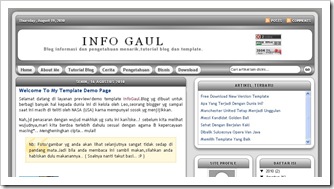
Template Properties
Default Color : Silver
Layout : 3 Column
Width : 940px
Author : Angga Leoputra
Password : infogaul
To make the display read more on posts, you just follow the step-step method below.
1. Go into the settings tab, then to the tab format
2. Slide the scroll down to the bottom of the Format tab, and enter the code below into the post template column:
<span class="fullpost"> </span>
3. After that,click the save setting button
4. Then when you write a post, place the posts that will be appear on the front page above the code <span class="fullpost">
5. Place the remaining parts of the post (Nb: The post that will only be visible if read more link was clicked) between <span class="fullpost"> and </ span>
6. Done.
